Builders
Coming soon to the App StoreBuild the whole set inside the app.
Besides playing, Jowe Stage has the editors to build what goes on stage: sound, synth, tracks, images, 3D, motion graphics, visual sequences and the venue itself.
FX
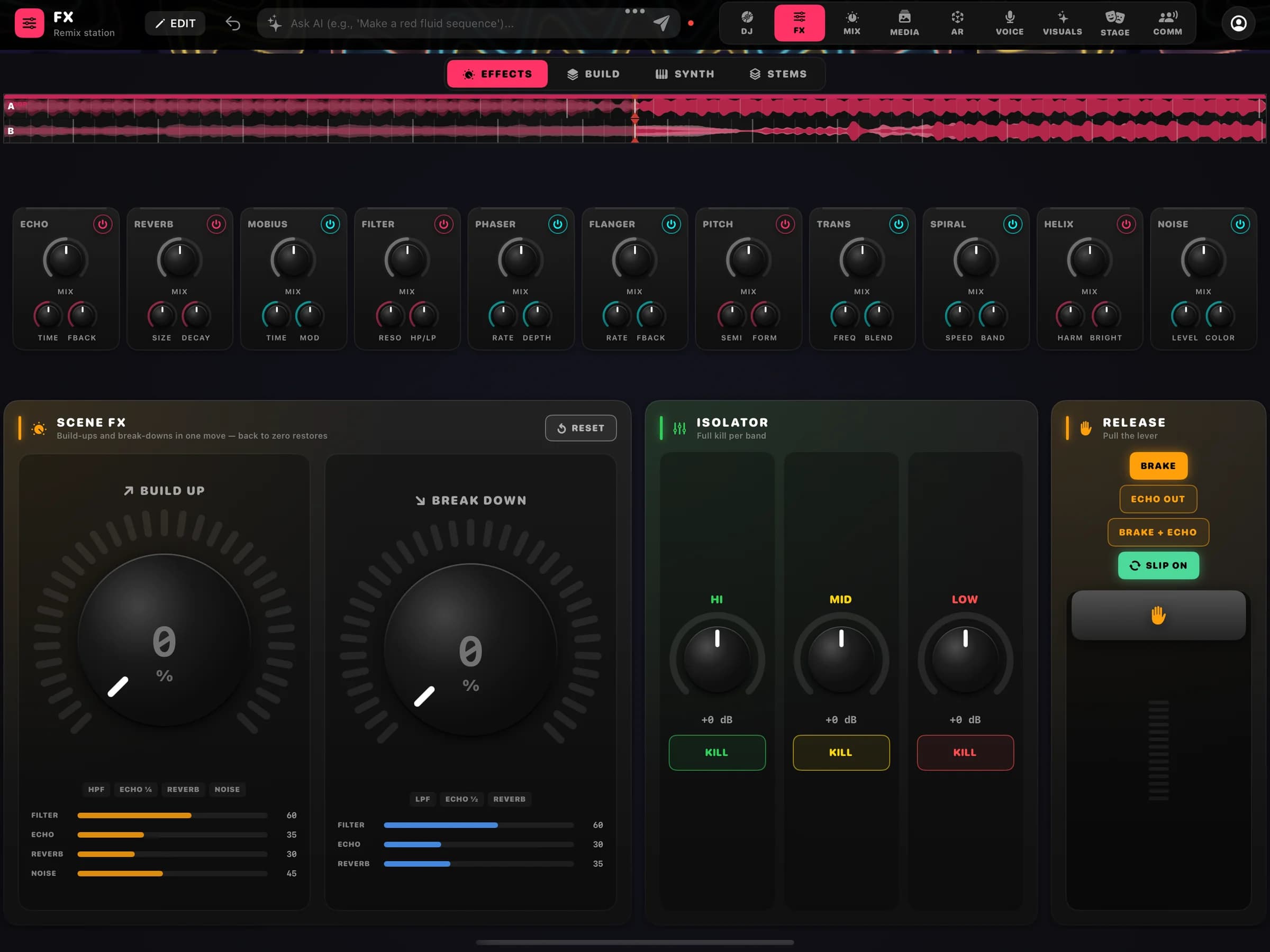
Four FX pages: Effects, Build, Synth and Stems.
FX is split into pages, each a complete layout for one way of playing. Switch pages at the top without stopping the sound.
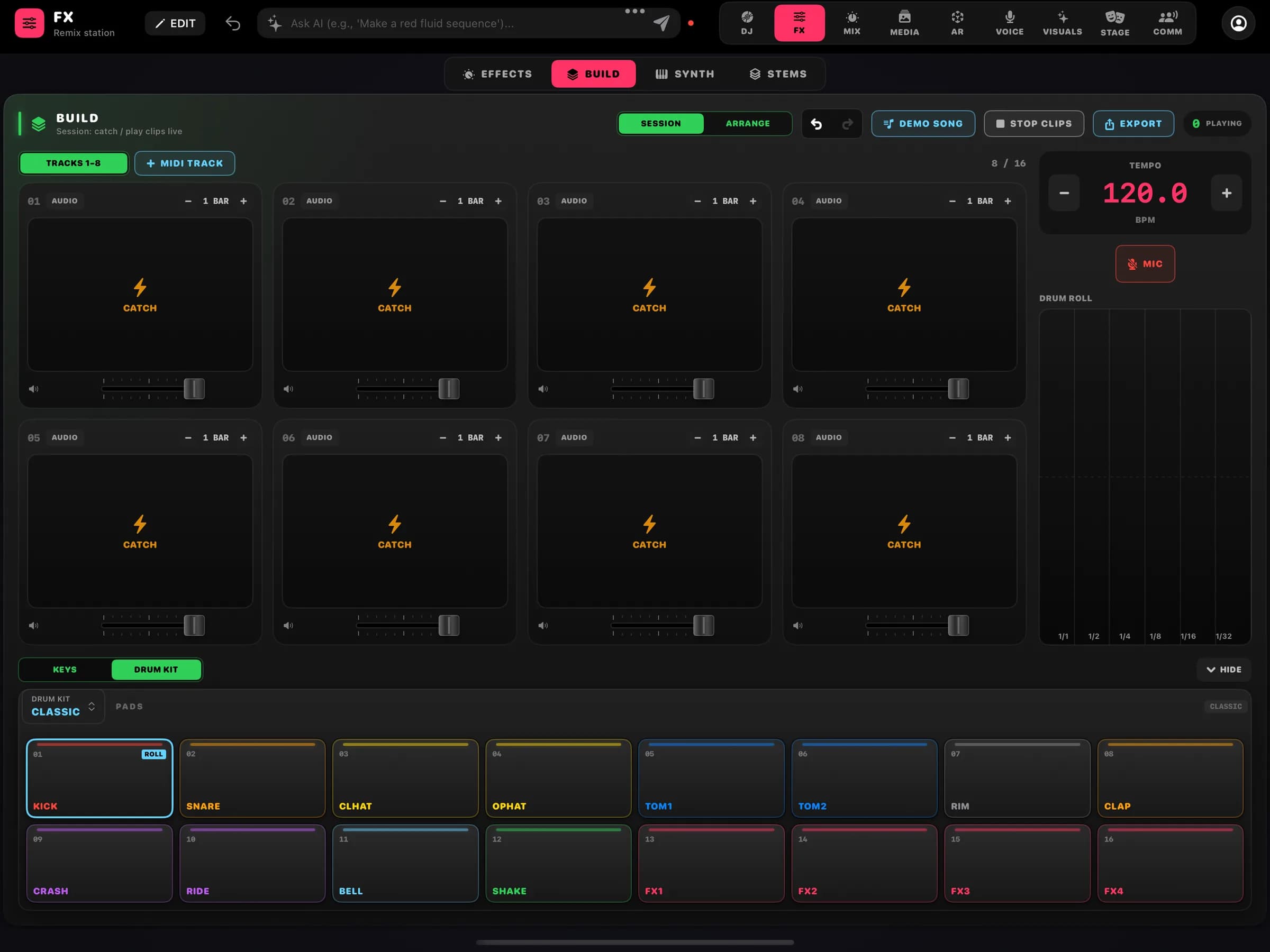
BUILD · remix deck, looper and instruments
- Effects
Effects grid and Scene FX
Eleven effects, build-up and break-down on one control, a three-band isolator with kills and release effects: brake, echo out or both, with slip.
- Build
Remix deck
A looper that catches (CATCH) what you play, and an instrument dock that opens when needed: keys, drum kit and guitar pedals.
- Synth
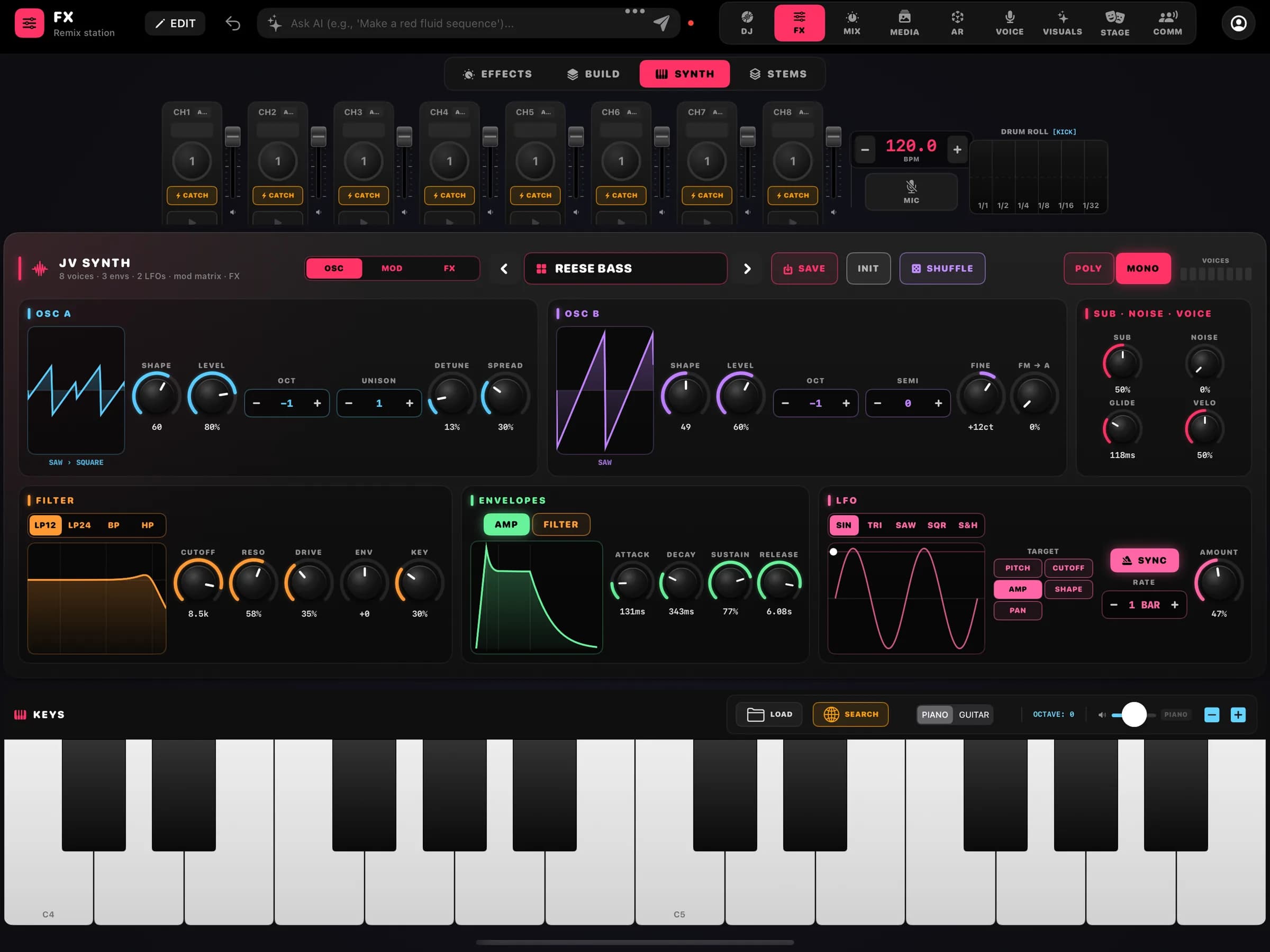
The synth with its keyboard
The full JV Synth, played from the keyboard right below it, with the looper strip above to catch what it plays.
- Stems
Vocals, drums and instrumental
BetaOn-device stem separation to play and process each part of a track.
JV Synth · Looper
A real synth, and a looper that catches what you play.
JV Synth is polyphonic, with wavetable and supersaw, oscillator, modulation and effects pages, and a modulation matrix. The looper sits on the same screen as the pads, synth and keys, because those are what it captures.
- Oscillators
Wavetable and supersaw
Polyphonic voices with wavetable and supersaw oscillators, run on an optimised audio engine.
- Modulation
Modulation matrix
Envelopes and LFOs routed to any destination through the matrix, on OSC, MOD and FX pages.
- Patches
Saved presets
Save and load patches; yours keep opening as the synth gains new features.
- Keyboard
Played on screen
An on-screen keyboard right below the synth, with octave and transpose.
- Looper
CATCH
The looper tracks capture what you play on the drum pads, the synth and the keys.
- Instruments
Piano, drums and guitar
Piano, a drum kit on pads, a guitar fretboard and a pedalboard, opened on demand in BUILD.
Build · Studio
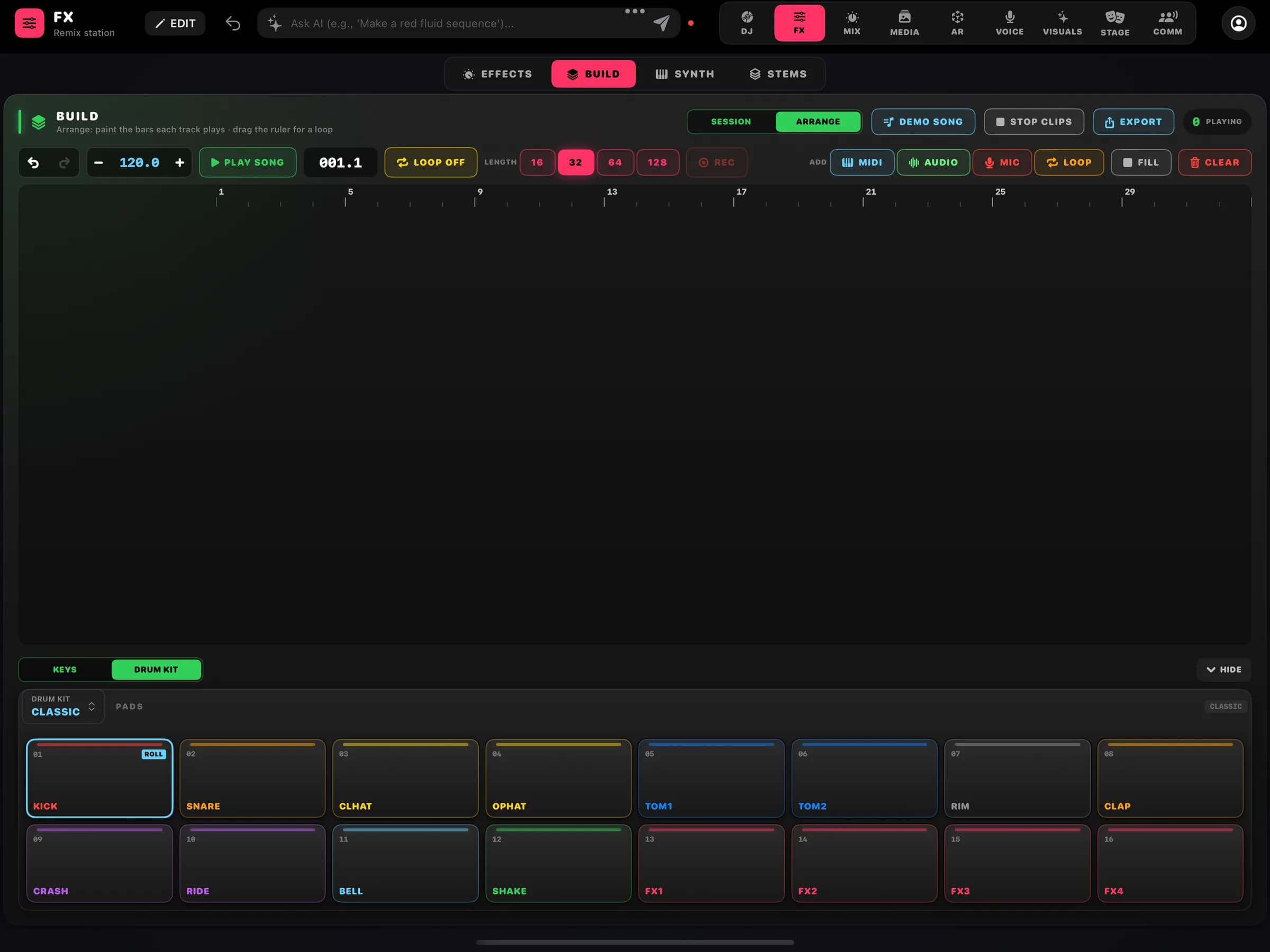
A production studio with tracks, inserts and automation.
BUILD becomes a studio: MIDI, audio and microphone tracks in an arrangement, each with its own effect chain and automation. Export the song or the whole project.
- Tracks
16 MIDI tracks, audio and mic
Record the microphone straight onto the timeline, aligned to the bar, next to MIDI tracks and audio clips.
- Inserts
Per-track effects
EQ, filter, compressor, drive, delay and reverb on every track; the effects rack stays on the master.
- Automation
Automation lanes
Volume, pan, cutoff, effect mixes, synth macros and plug-in parameters. Draw points or record them live.
- Editing
Piano roll and arrangement
A full piano roll, block arrangement, per-track octave and transpose, undo and redo.
- Export
Bounce, MIDI and project
Export the final audio, the .mid file or the .jvproj project to keep working later.
- Plug-ins
AUv3 hosting
BetaAudio Unit v3 instruments and effects with the plug-in UI and state saved in the project. Tested with Apple's AUs.
Media Studio
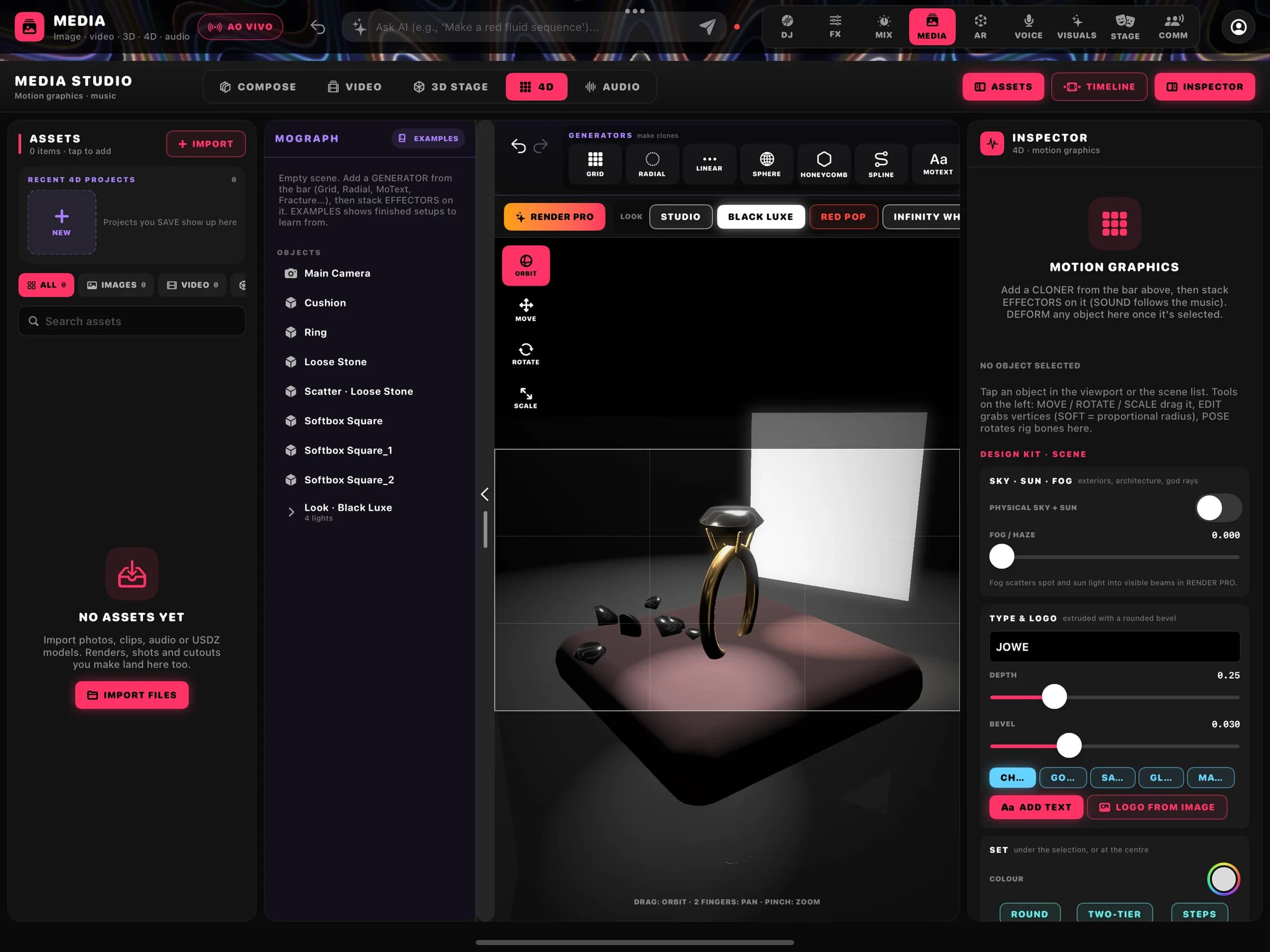
MEDIA STUDIO: Compose, Video, 3D Stage, 4D and Audio.
MEDIA STUDIO has five tabs, one per kind of media, sharing one assets panel, timeline and inspector. What you make here goes to the visuals, to the stage or into a rendered film.
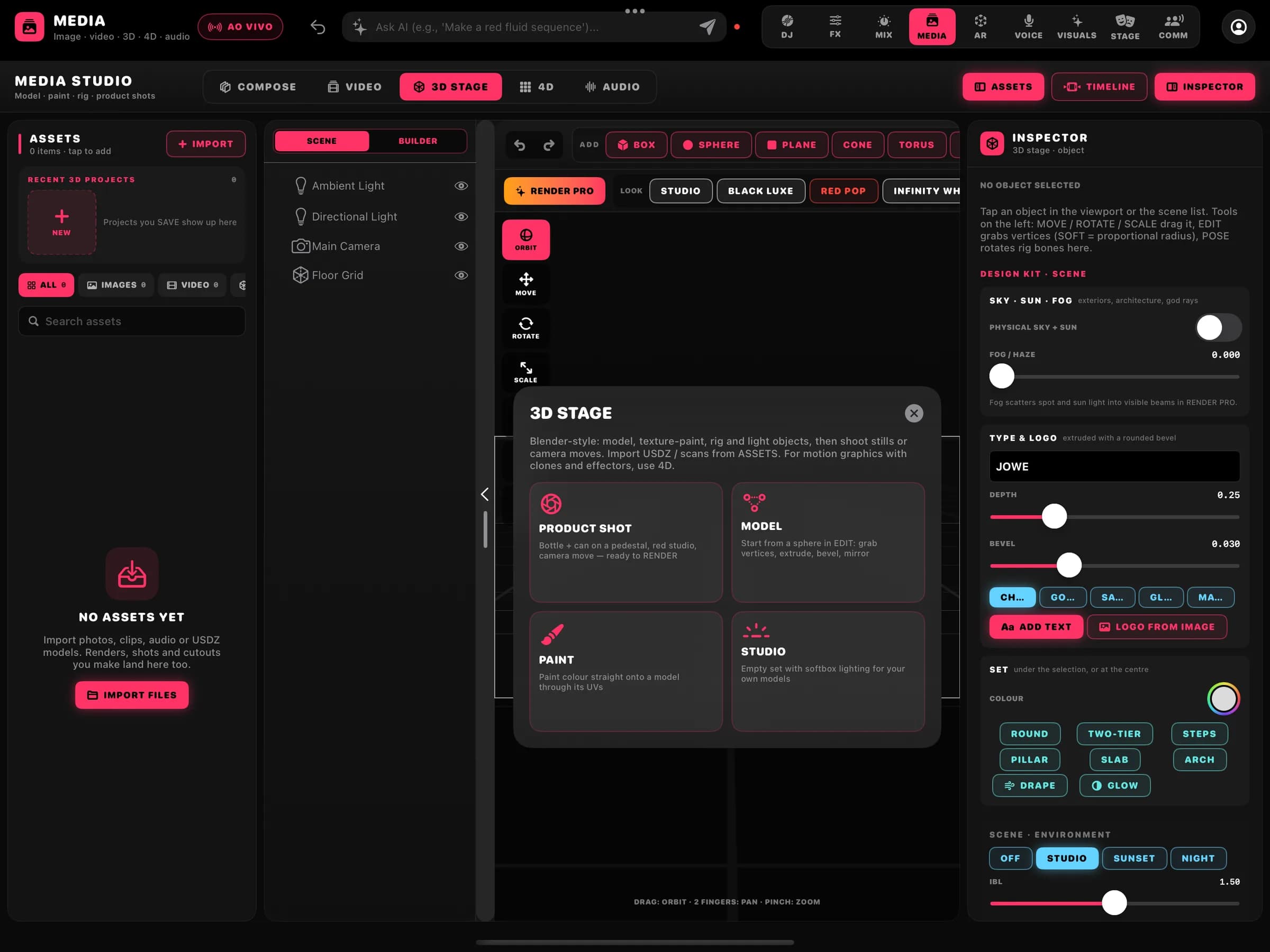
3D Stage · starting points
- Compose
Layers and background removal
Drag-to-reorder layers, on-device background removal and sending the image to the 3D stage.
- Video
Video composition
Clips on a compositing timeline, ready to become a visual layer.
- 3D Stage
Modelling, rigging and animation
Extrude, inset, bevel, subdivide and mirror; PBR materials, lights and environment; auto rig and weight paint; a keyframe dope sheet; texture paint and MP4 render.
- 4D
Motion graphics
Its own 3D scene with generators, cloners and effectors that follow the music, and that can run live as a VISUALS layer.
- Audio
Audio editor
Trim, cut, fades, normalise and reverse on wav, mp3 and m4a files, exported as a new clip.
- RENDER PRO
Metal path tracer
Take the 3D scene to a path tracer with tech launch, jewellery, logo sting, beauty and interior presets.
Visuals · Editors
BetaVisual sequences on a timeline, nodes and modulation.
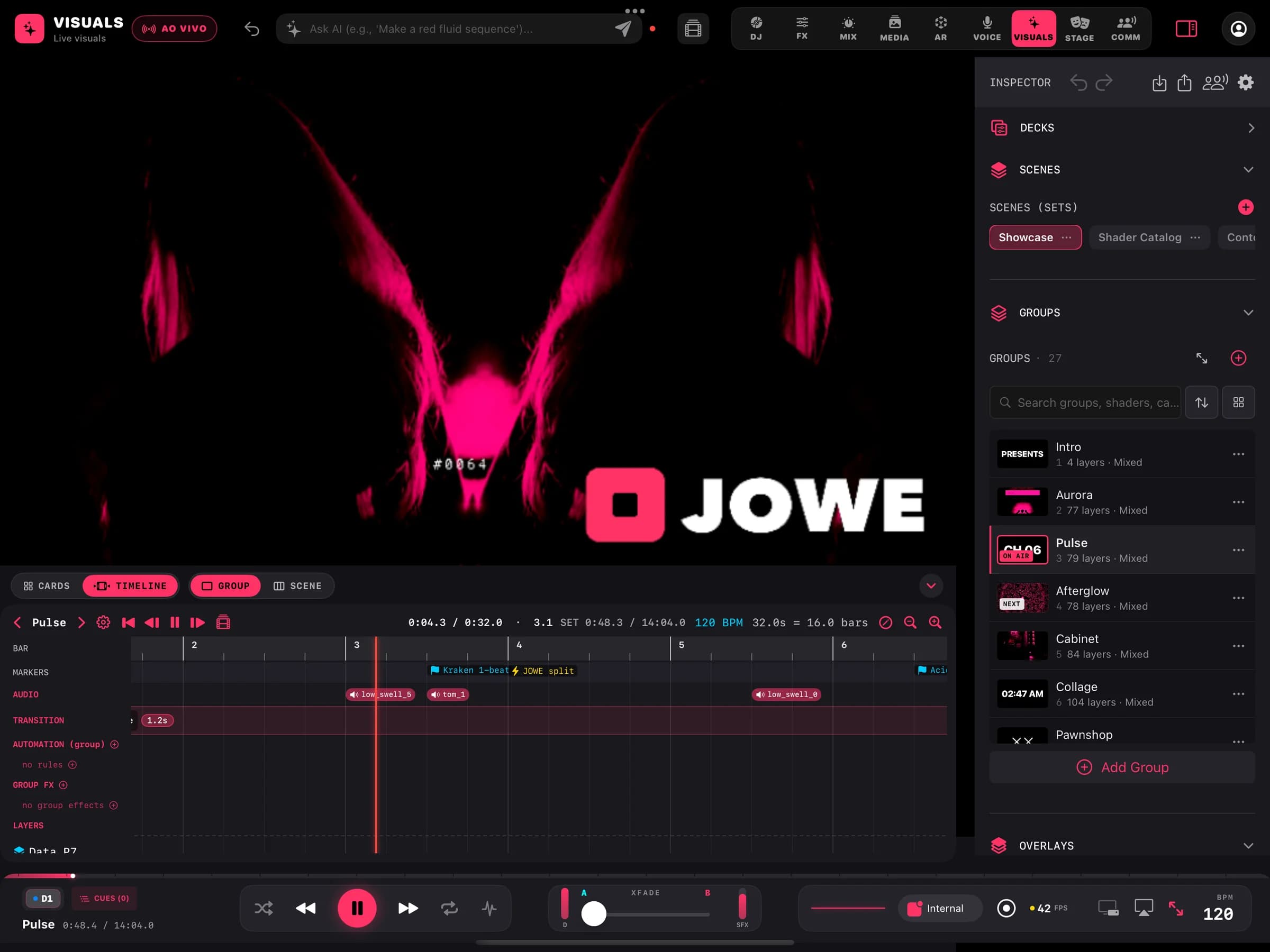
Beyond scene cards, VISUALS has editors to sequence and build effects. These editors are in beta and off by default.
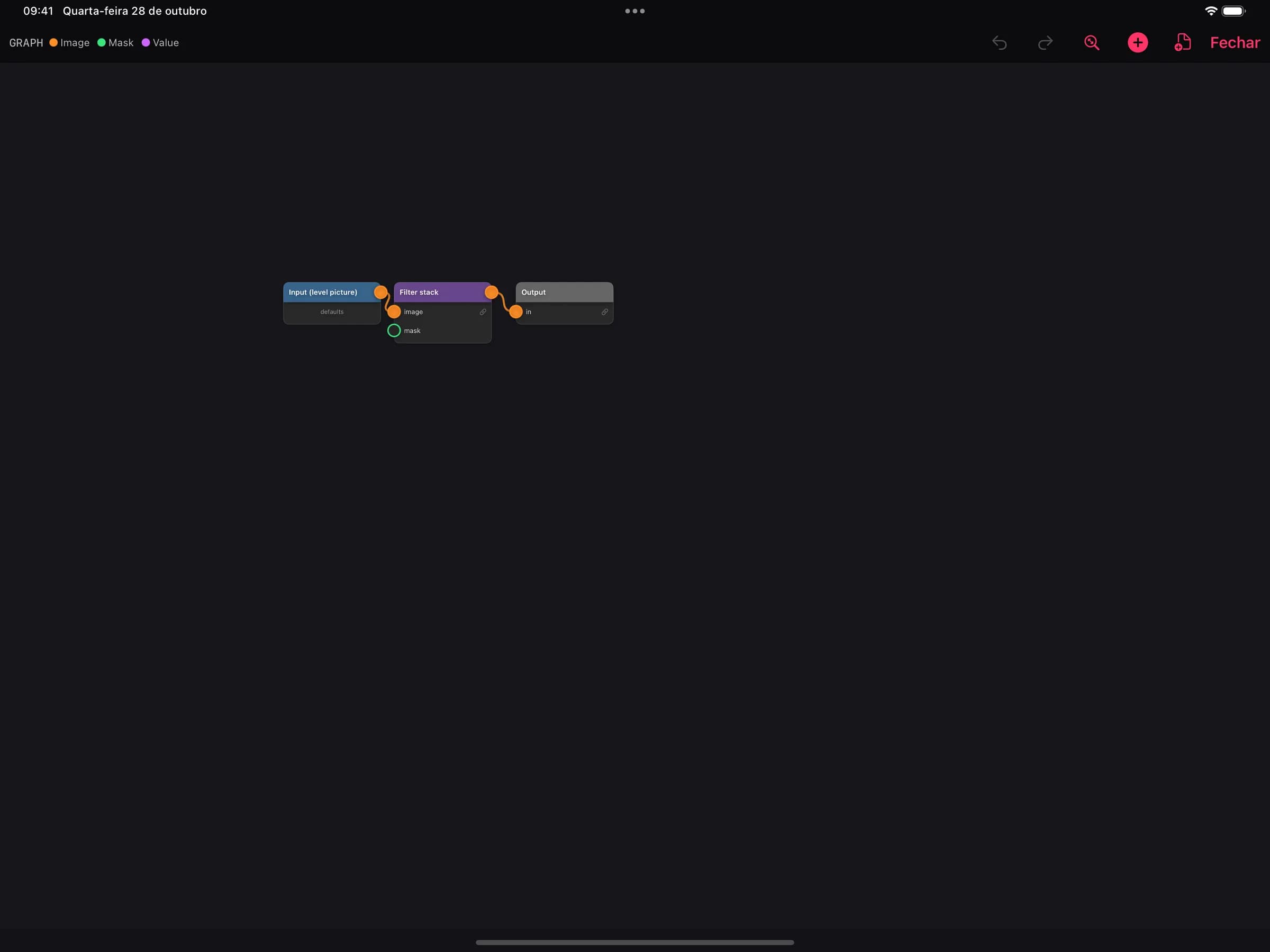
Wire · node editor 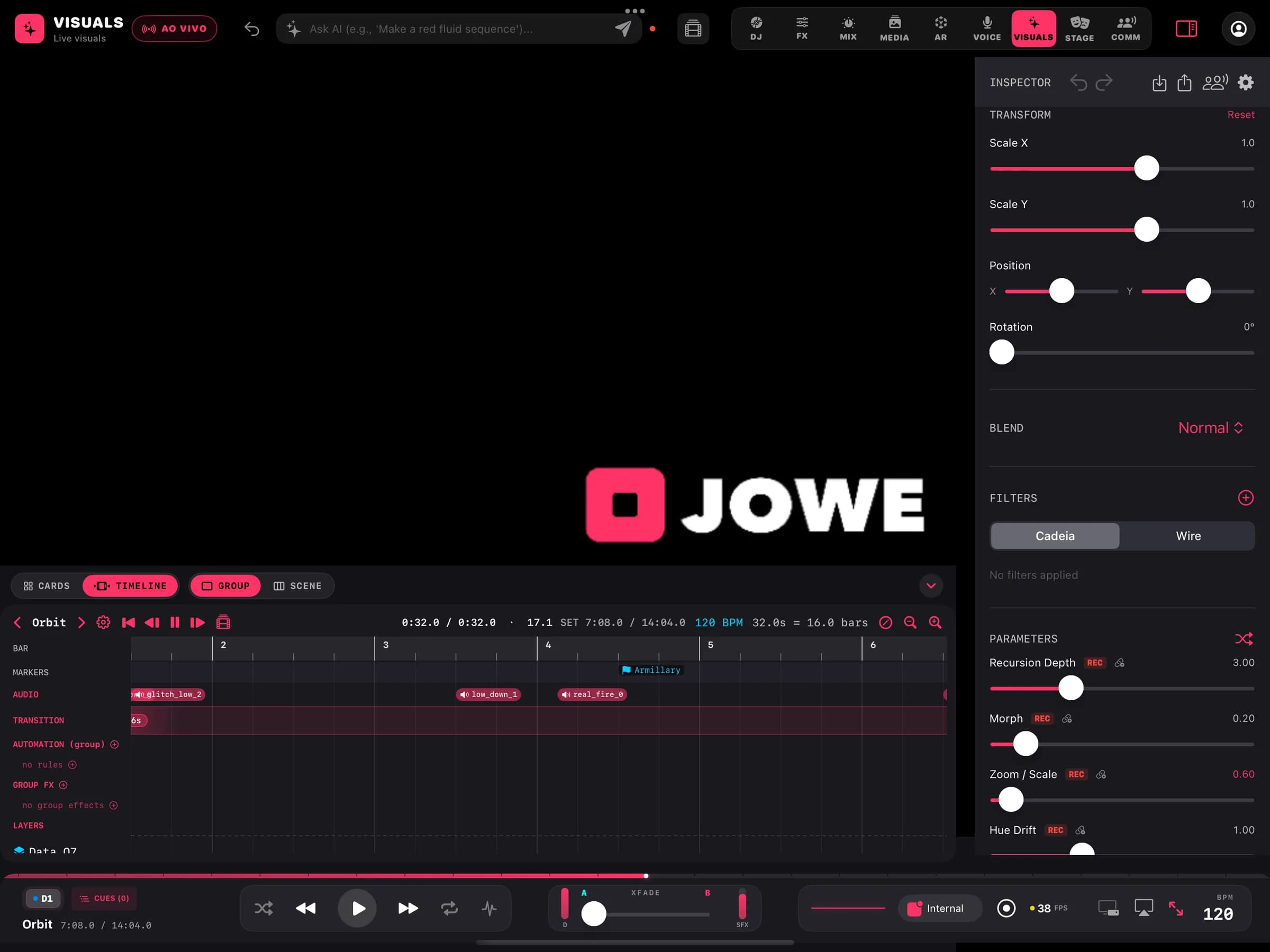
Layer inspector
- Timeline
Group timeline
BetaA scene's groups laid out in bars, with markers, transitions and automation; each group repeats, plays once, holds its last frame or moves to the next.
- Wire
Node editor
BetaThe effect chain of a layer, a group or the master as connected nodes.
- Modulation
LFOs, macros, MIDI and OSC learn
BetaBind any parameter to synced LFOs, macros and external controls.
- Masks
Per-layer masks
BetaCut a layer with shapes and other layers.
- Text
Text layer
BetaTypography as a visual layer, with the same effects.
- ISF
ISF shader import
BetaImport ISF shaders and use them as layer modes.
Stage · Editor
Build the venue and stage in 3D, then step inside.
STAGE edits the whole venue: trusses, screens, fixtures and library objects, with the set's light and visuals running live. Then walk through it in first person.
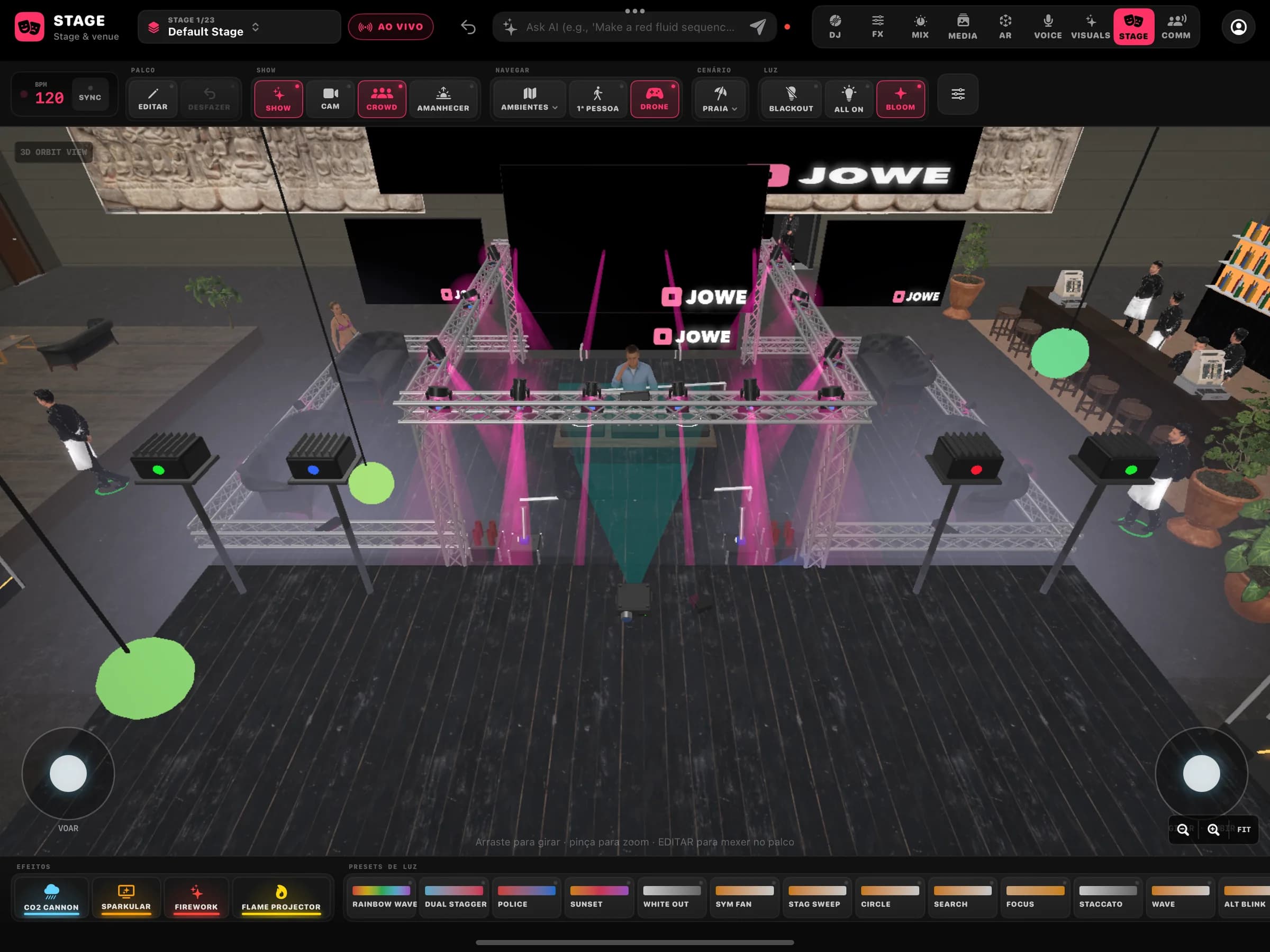
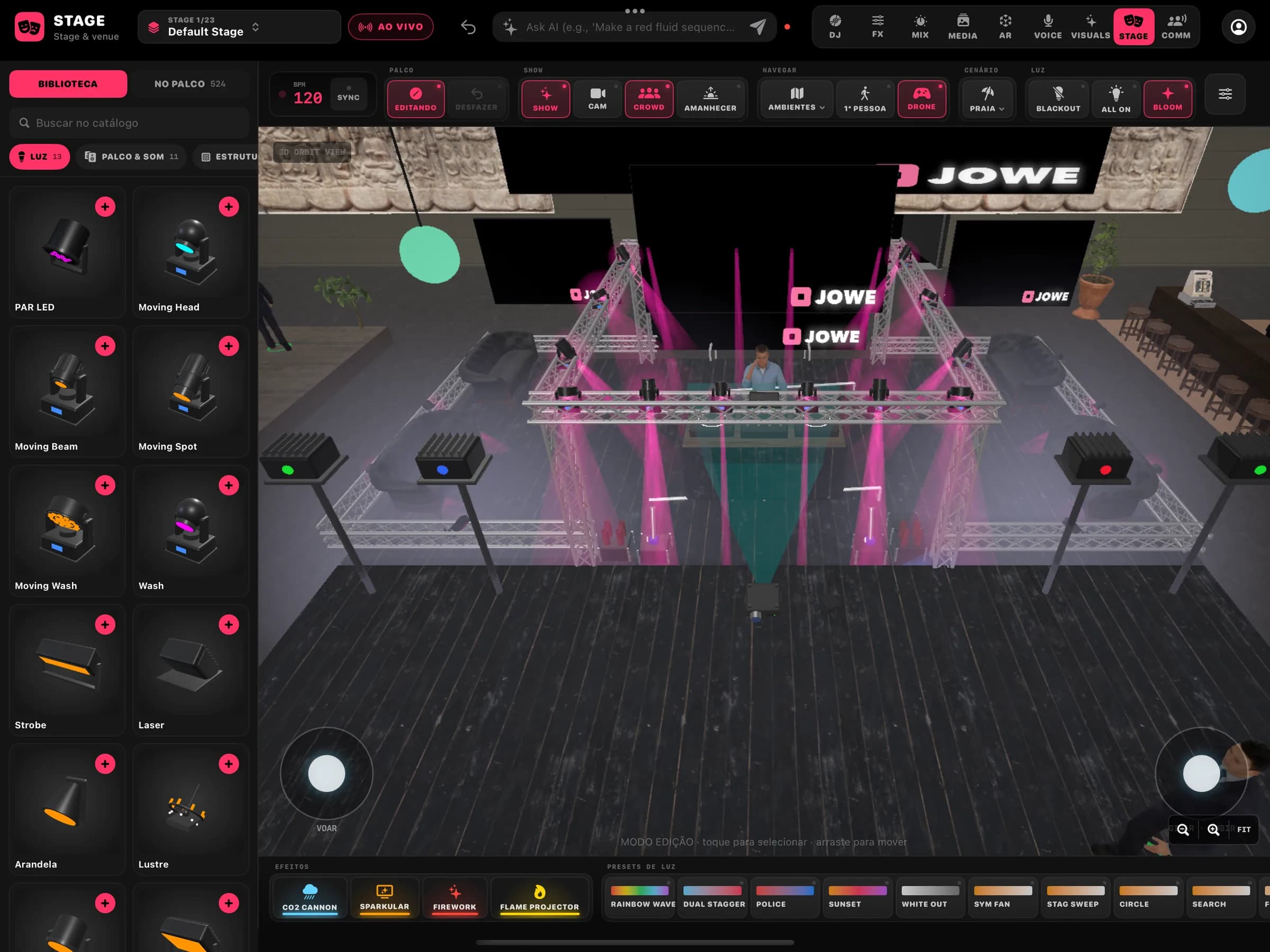
Edit mode 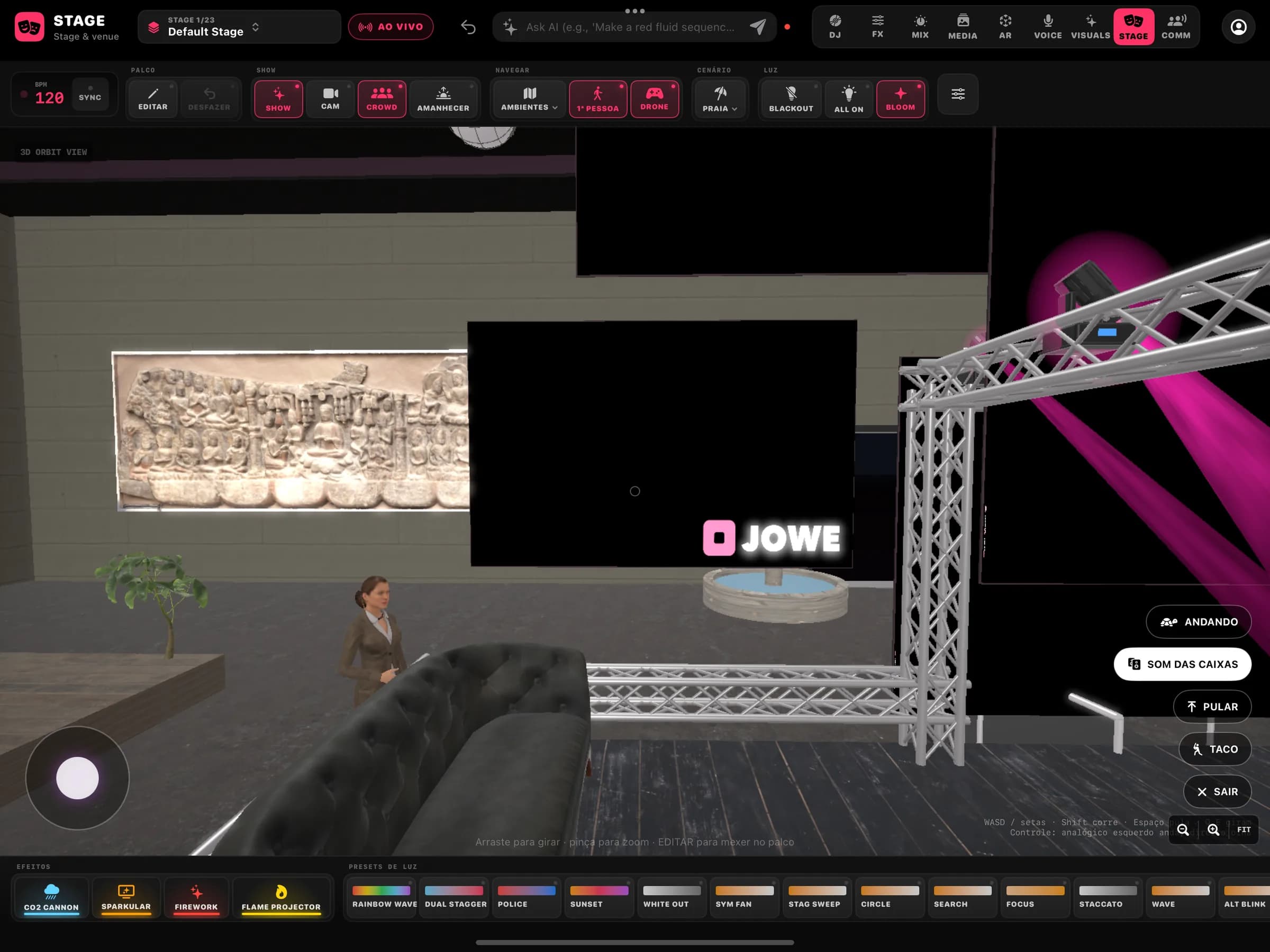
First person 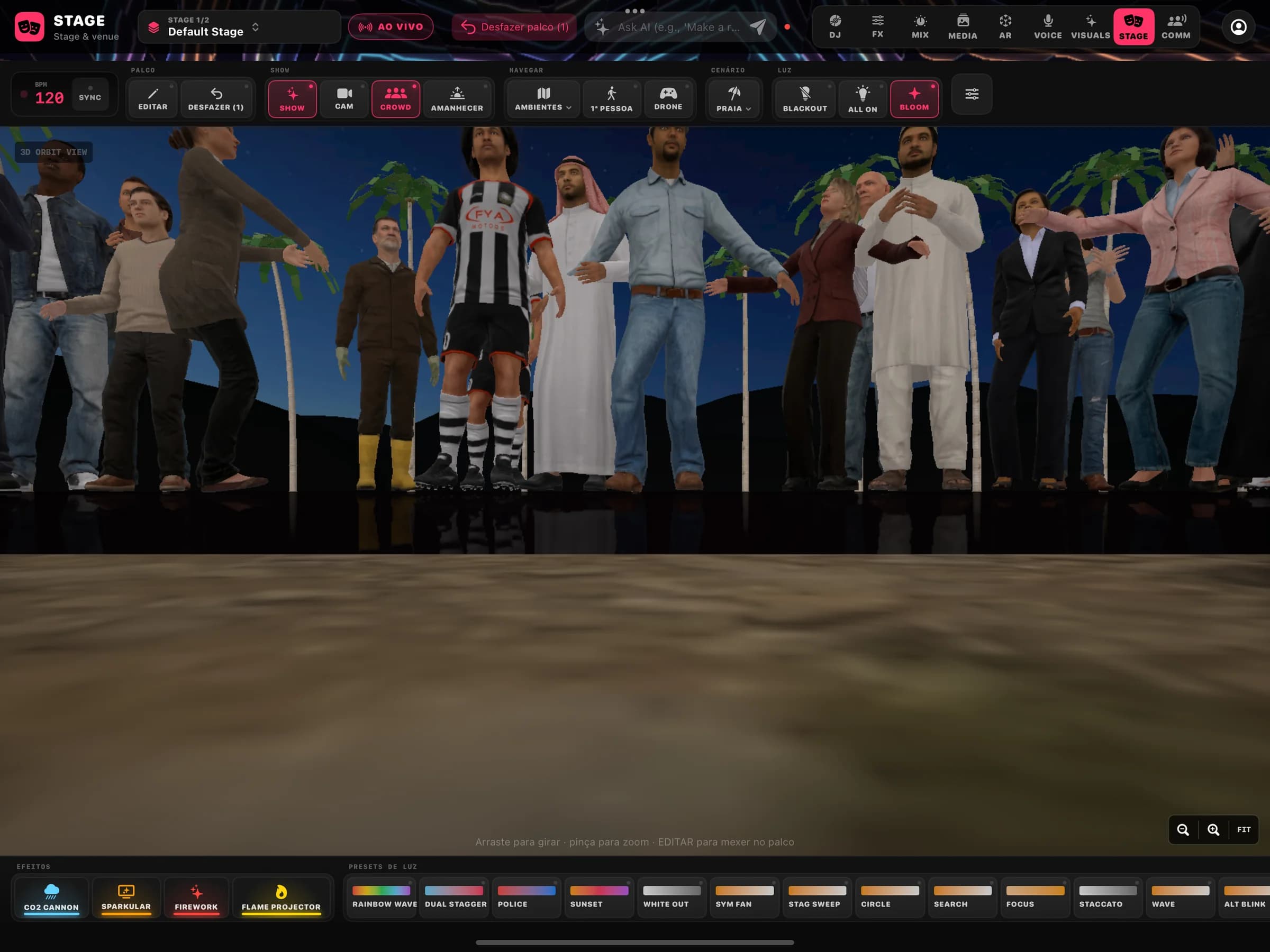
Show mode with crowd
- Editor
Orbit and edit
Orbit around, select and move trusses, screens and fixtures.
- Library
Fixtures and effects
PAR LED, moving heads, beams, spots, wash, strobes, lasers, sconces and chandeliers; special effects such as CO2, sparkular, fireworks and flame projectors; light presets.
- Show
Venue modes
Show, crowd, sunrise, ambient, beach, blackout and all on, with bloom, one tap away in the STAGE bar.
- Light
Rig, DMX patch and cues
Fixtures with DMX addressing and light cues, previewed in the editor. Hardware output: coming soon.
- Camera
Director and drone
Automatic camera shots and a drone camera to show off the stage during the set.
- First person
Walk the venue
BetaWalk, jump and talk to characters that answer with neural voices generated on the device.
All of it in one app.
The builders share one project and the set's clock. Jowe Stage is coming to the App Store soon.