Jowe Stage
Coming soon to the App StoreA whole set, on one iPad.
Play four decks, project visuals that follow the music, design the stage in 3D and stream live. Every module shares one clock: the track's BPM, key and energy.
- decks
- 4
- Metal shaders
- 850+
- effects in the FX grid
- 11
- MIDI tracks in the studio
- 16
DJ
Four decks with booth-grade precision.
Three-band waveforms, pads on every deck and beat effects on the master. Each track's key is detected and shown on the Camelot wheel, ready for harmonic mixing.
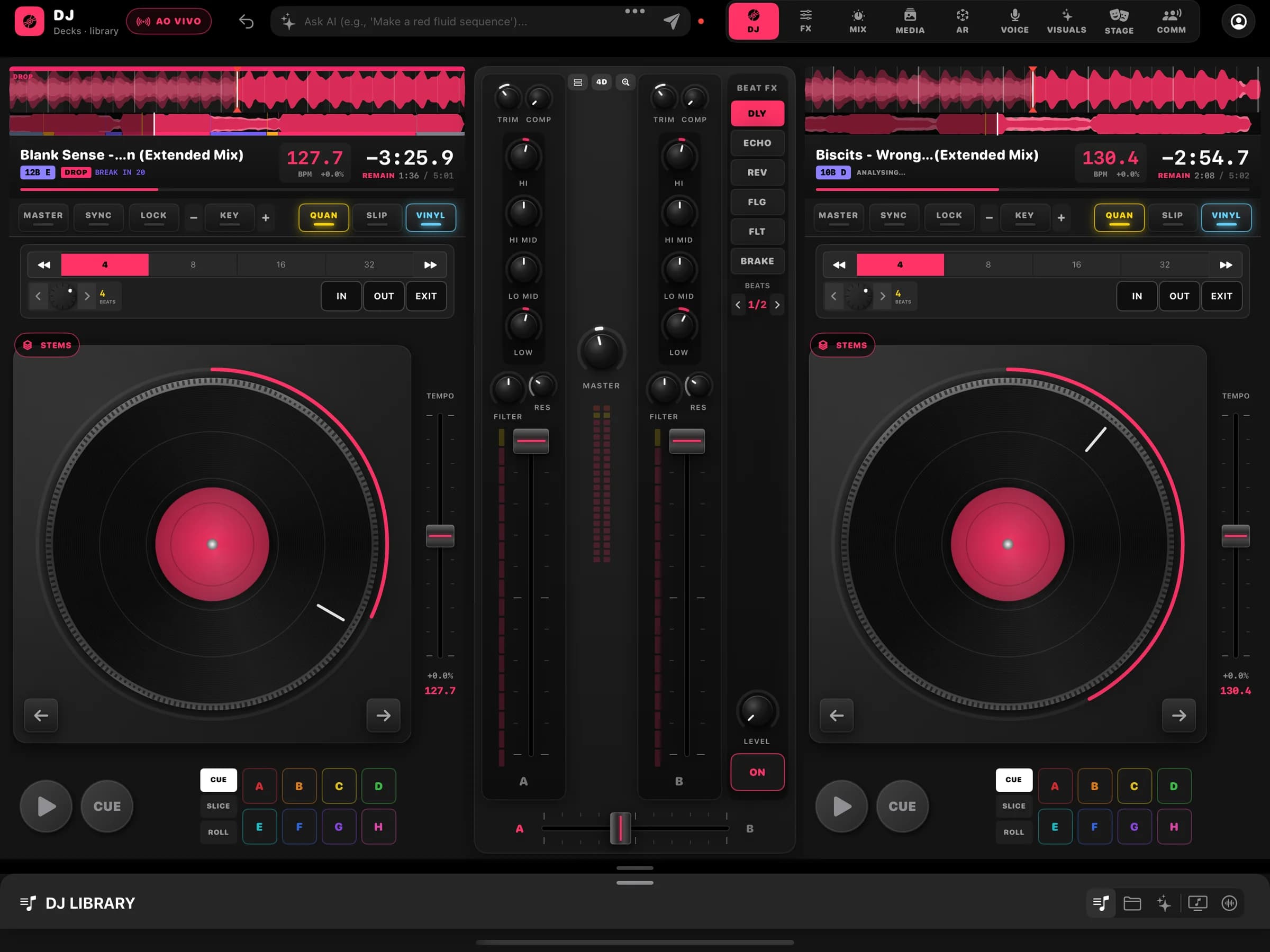
- Decks
Up to four decks
Two- or four-deck layout, a centre mixer and low, mid and high waveforms.
- Pads
Hot cue, slicer and roll
Eight pads per deck in three modes to mark, slice and repeat in time.
- Beat FX
Effects in time
Delay, echo, reverb, filter and brake on the master, locked to the BPM.
- Key
Detection, key lock and key sync
Key in Camelot notation, key lock, ±6 semitone shift and key sync between decks.
- Stems
Vocals, drums and instrumental
BetaOn-device stem separation to play each part of a track on its own.
- MIDI
Pioneer DDJ-GRV6 controller
A ready-made mapping for the DDJ-GRV6, plus MIDI input across the app.
Visuals
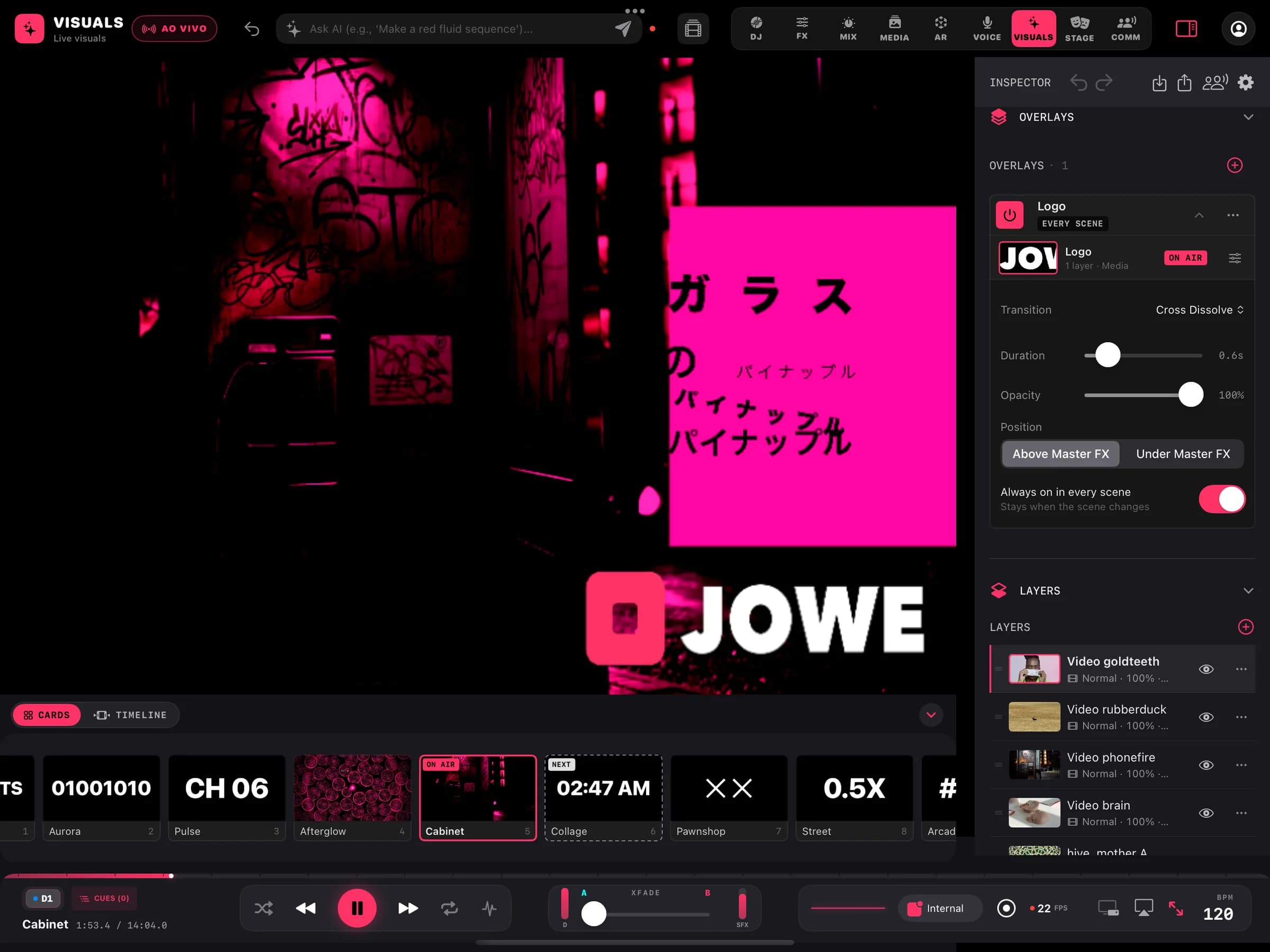
More than 850 shaders that answer to the music.
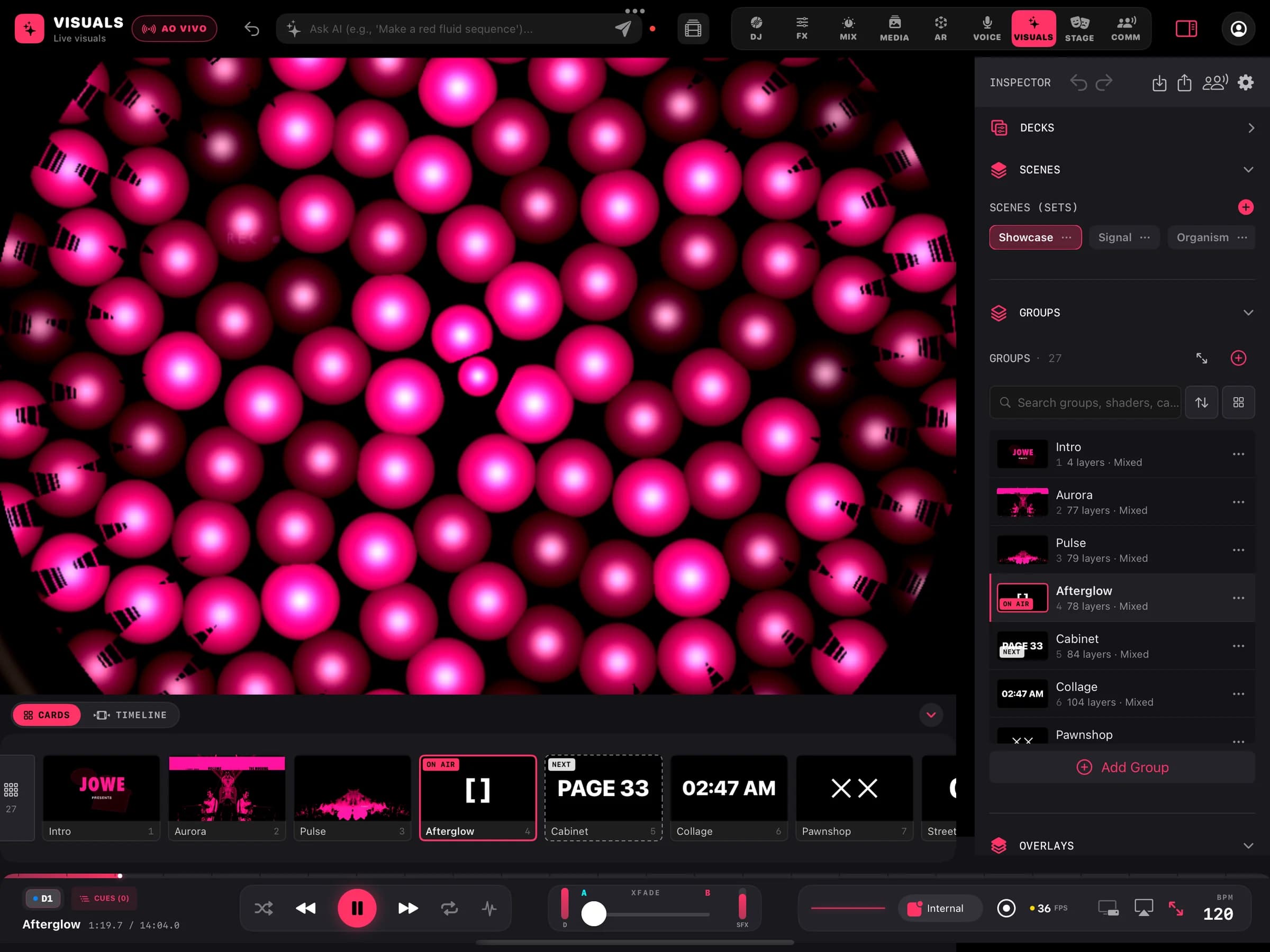
Metal shaders rendered in real time, in groups and categories with thumbnails. Build scenes from layers and let transitions fire on time, beat or energy.
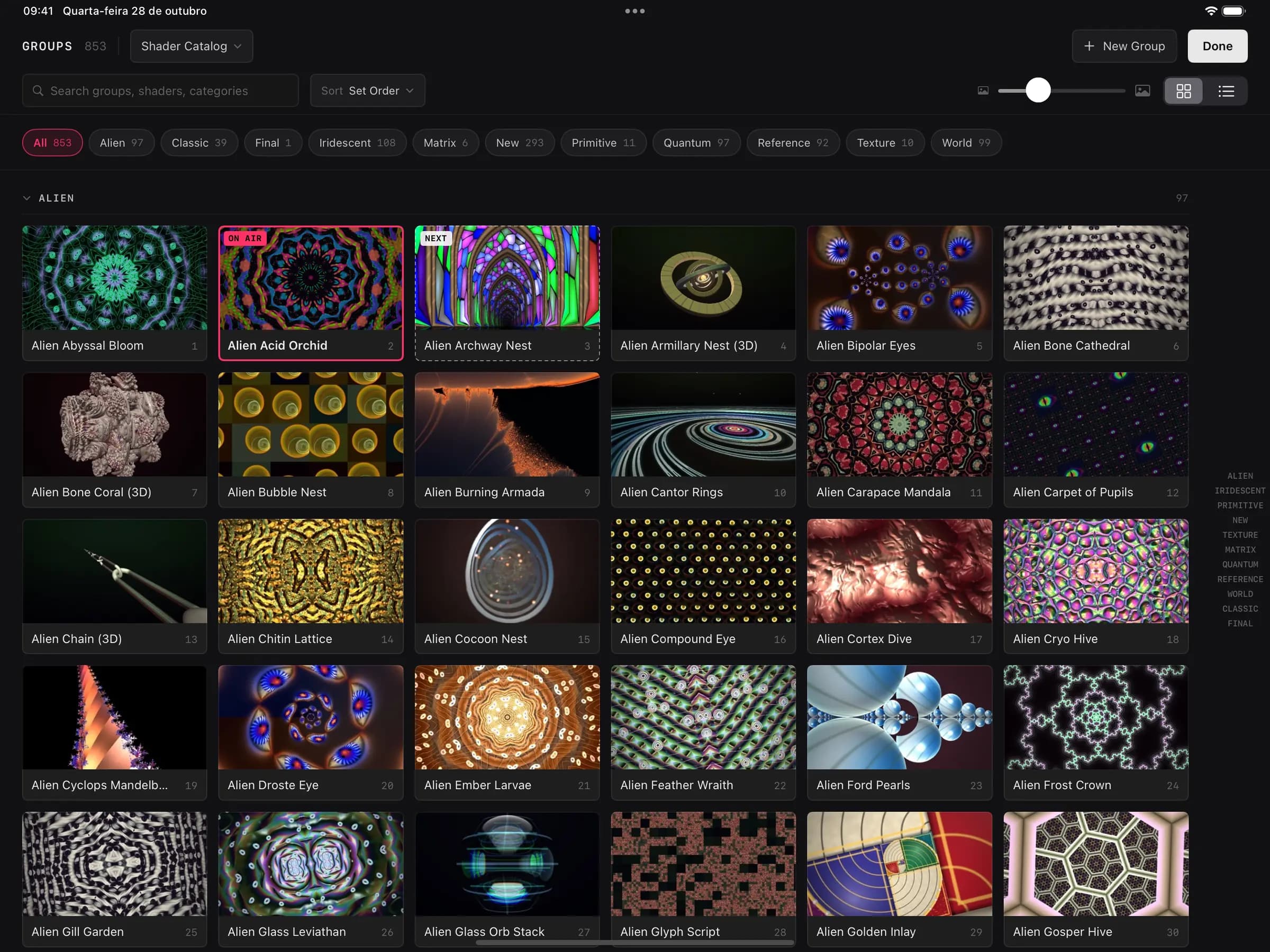
- Library
850+ real-time shaders
Browse groups, search by name or category and see which group is on air and which is next.
- Scenes
Scenes, groups and layers
Stack layers, save scenes and switch on time, beat or the track's energy.
- Overlays
Overlays that survive scene changes
Logos and fixed elements stay on top of group switches, per scene or for the whole set.
- AI
Ask for a sequence
Describe the mood and the Ask AI bar builds a visual sequence.
- Modulation
LFOs, macros, MIDI and OSC learn
BetaBind parameters to oscillators, macros and external controls.
- Editing
Masks, timeline, nodes and ISF
BetaMasks, a group timeline, a node-based effect editor, ISF shader import and a text layer.
FX
Effects, a synth and a production studio.
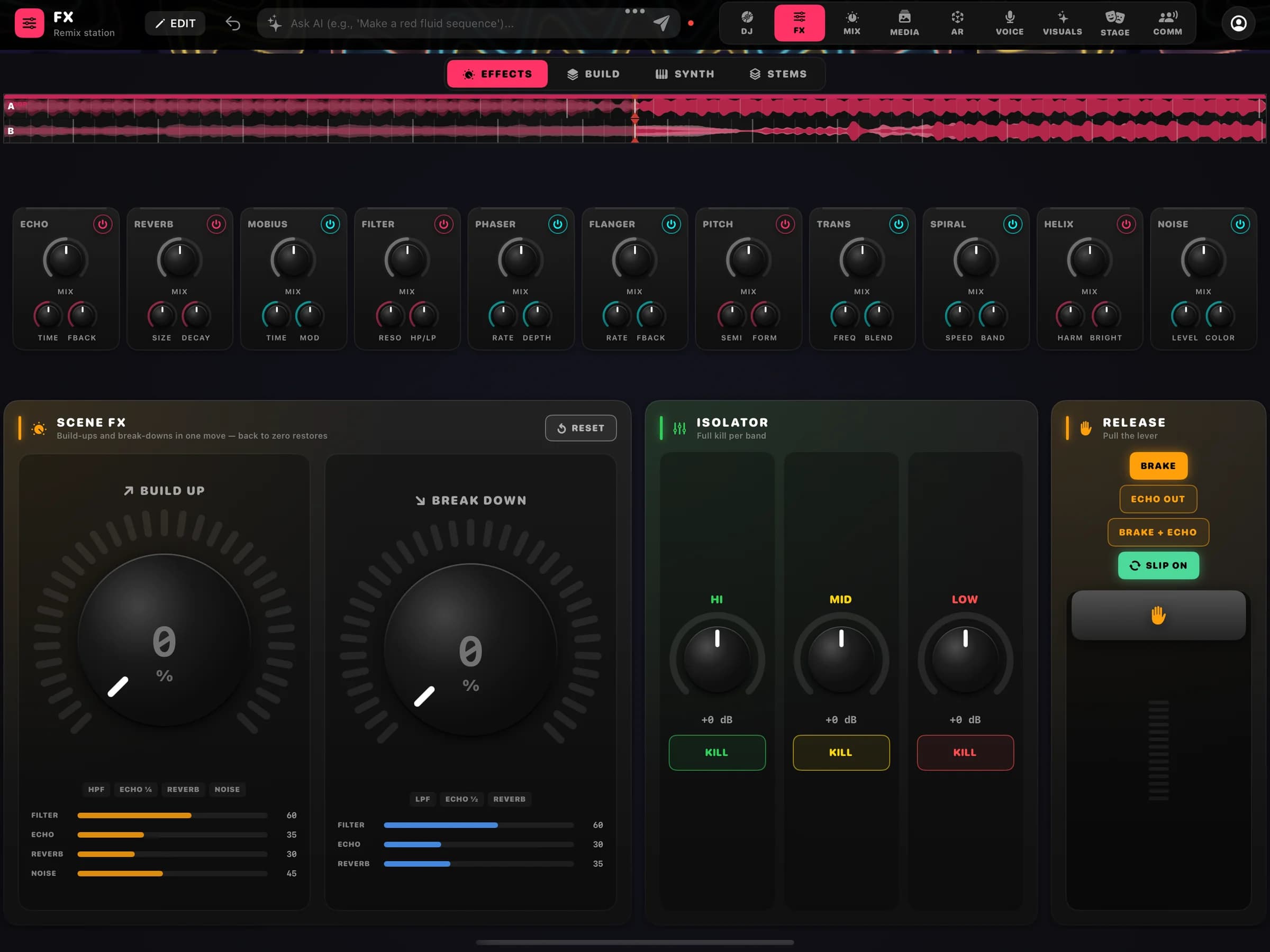
An effects grid to play live, a polyphonic synth and a studio with MIDI and audio tracks, so you can produce without leaving the app.
- Grid
11 live effects
Echo, reverb, filter, phaser, flanger, pitch, trans, noise, Mobius, Spiral and Helix.
- Performance
Scene FX, isolator and release
Build-up and break-down on one control, a low, mid and high isolator with kills, and release effects such as brake and echo out.
- Synth
JV Synth
A polyphonic wavetable and supersaw synth with a modulation matrix, played from the on-screen keyboard.
- Studio
16 MIDI tracks, audio and mic
Per-track inserts, automation, piano roll and arrangement. Export a bounce, a .mid or the project.
- Plug-ins
AUv3 instruments and effects
BetaLoad Audio Unit v3 plug-ins installed on the iPad.
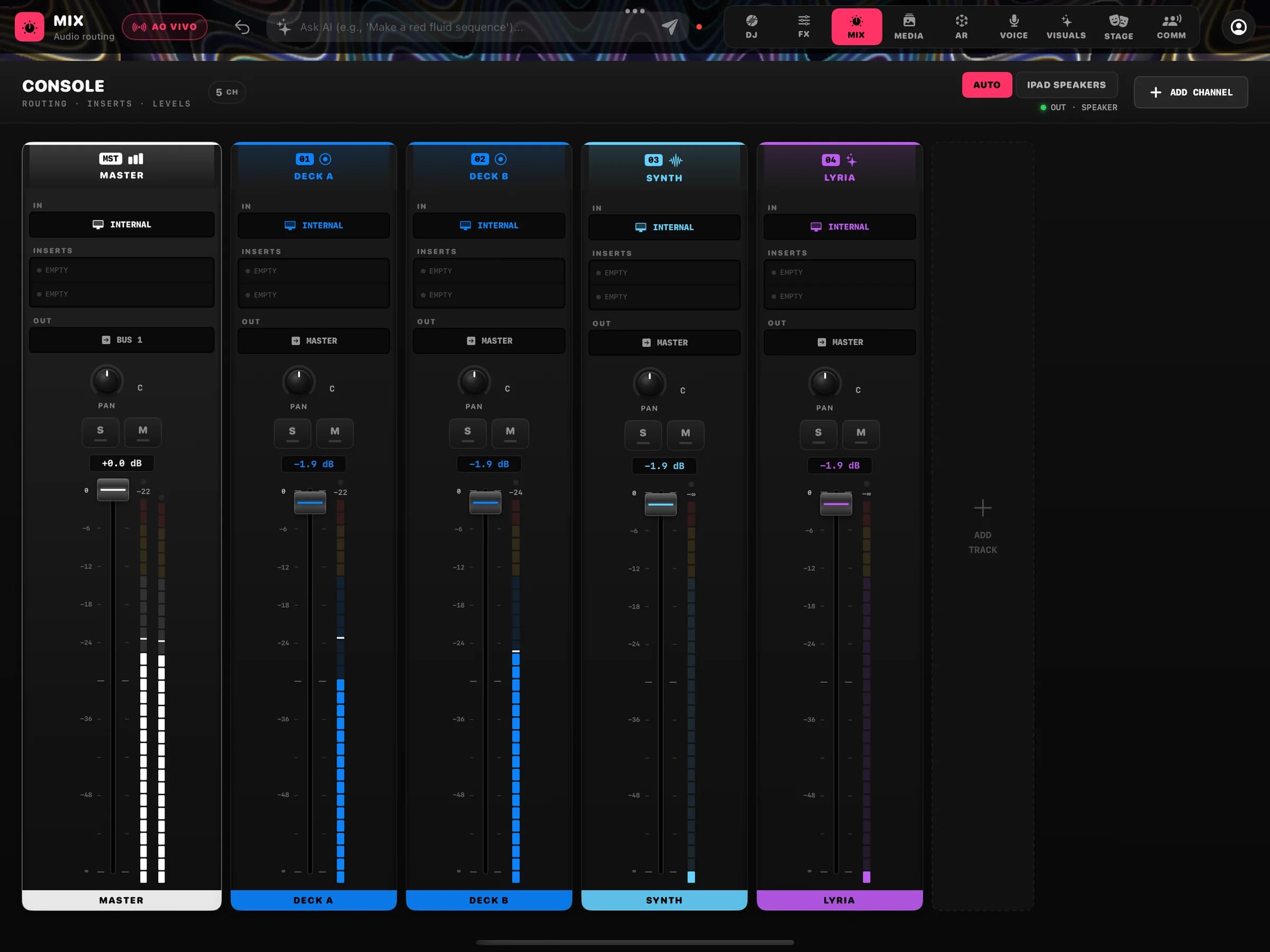
- Mix
Mixing console
One channel per source (master, decks, synth and more), with inserts, routing and meters in the MIX tab.
Media
Image, video and 3D, all the way to the final film.
A media studio for image, video, audio and 3D scenes, with on-device background removal. RENDER PRO takes the scene to a Metal path tracer with genre presets.
- Media Studio
Image, video and audio editor
Cut, adjust and remove backgrounds on the iPad itself.
- 3D
Modelling, rigging and animation
Modelling operations, rigging and weight paint, a dope sheet, texture paint and MP4 render.
- RENDER PRO
Path tracer with genre presets
Tech launch, jewellery, logo sting, beauty and interior light.
- AI video
Generate with your own keys
Connect the API keys of the video providers you already use and generate clips inside the project.
Stage
Design the stage before you build it.
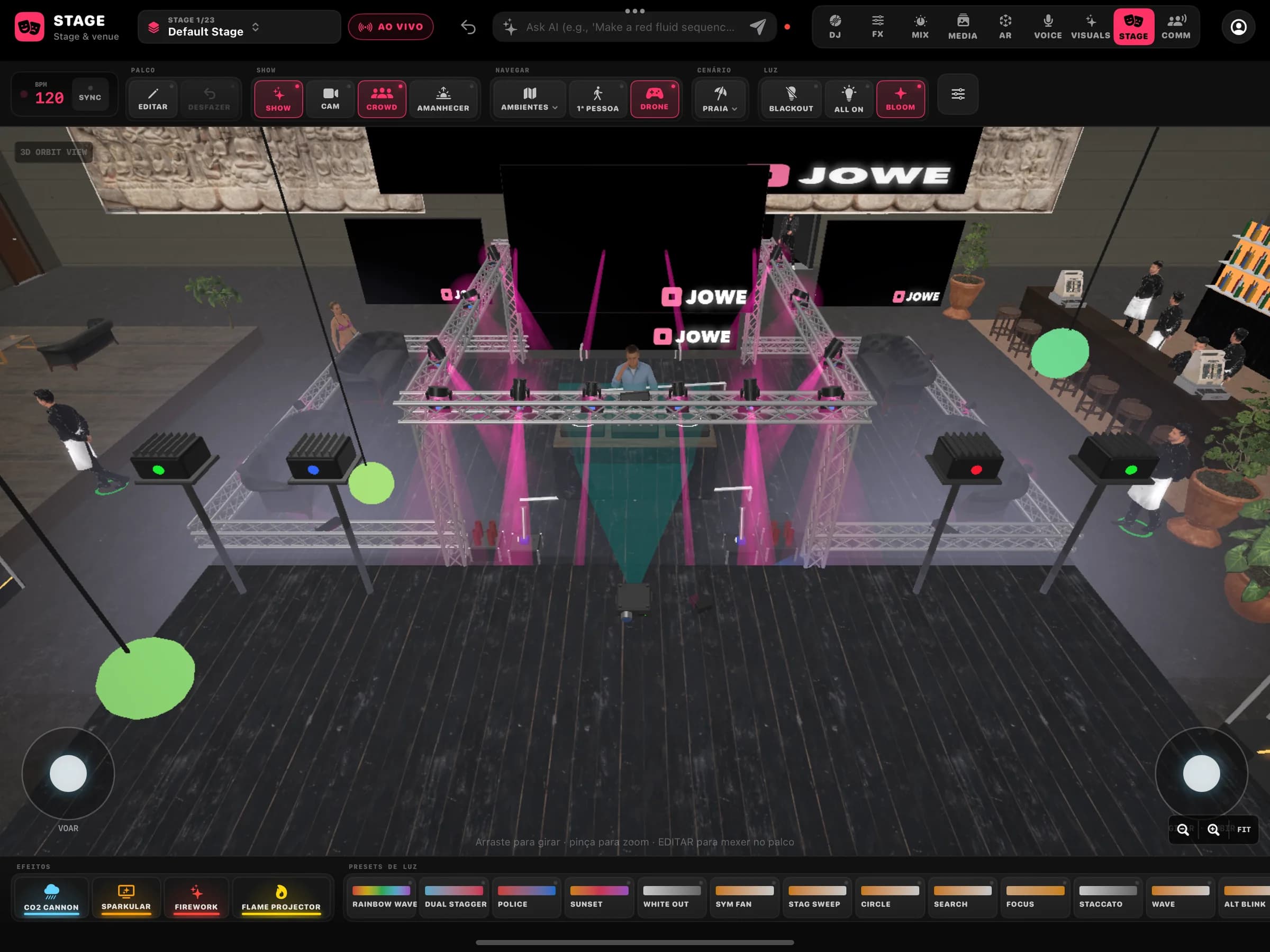
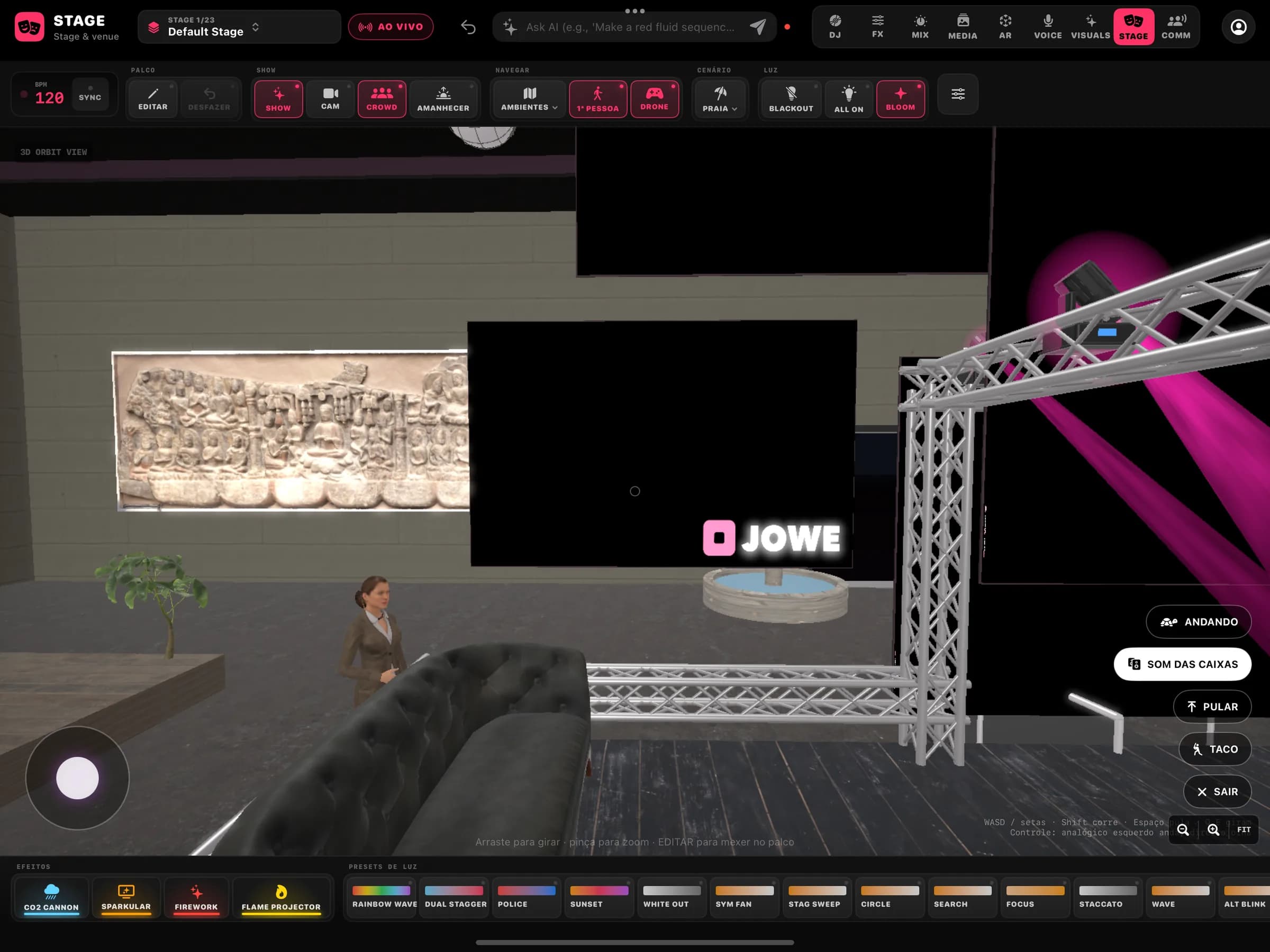
A 3D venue and stage editor with fixtures, DMX addressing and a light preview next to the visuals. Then walk the stage in first person.
First person 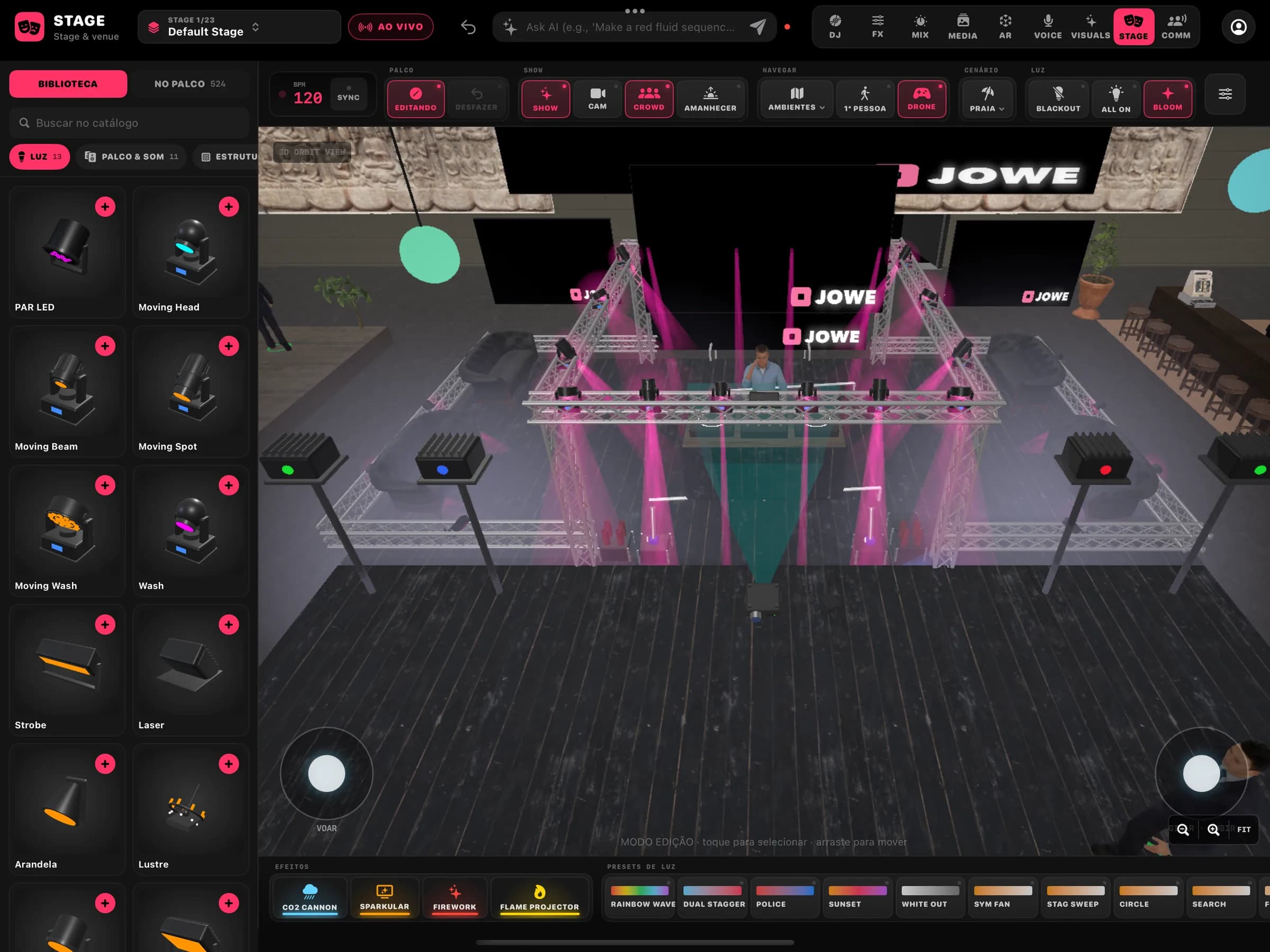
Edit mode
- Editor
Venue and stage in 3D
Place trusses, screens and fixtures and see them with the set's visuals.
- DMX
Patch and preview
DMX addressing for the fixtures and a light preview in the editor. Hardware output: coming soon.
- First person
Walk the stage
BetaWalk the venue in first person and talk to characters that answer with neural voices generated on the iPad.
Voice
A voice studio for the set's microphone.
The VOICE tab has Voicebox to change your voice live, a soundboard of pads, an input mixer and a vocal studio with lyrics in time with the music.
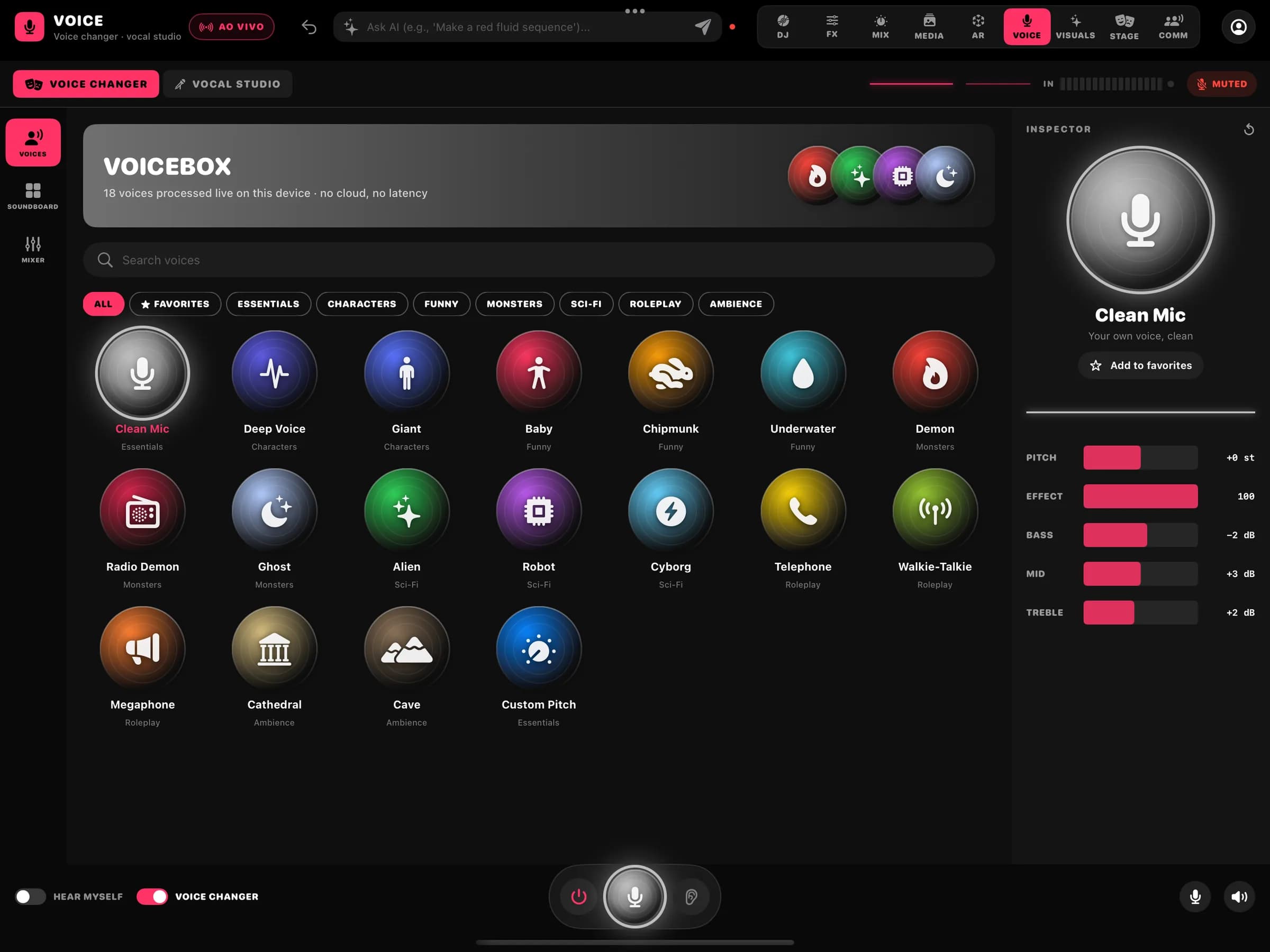
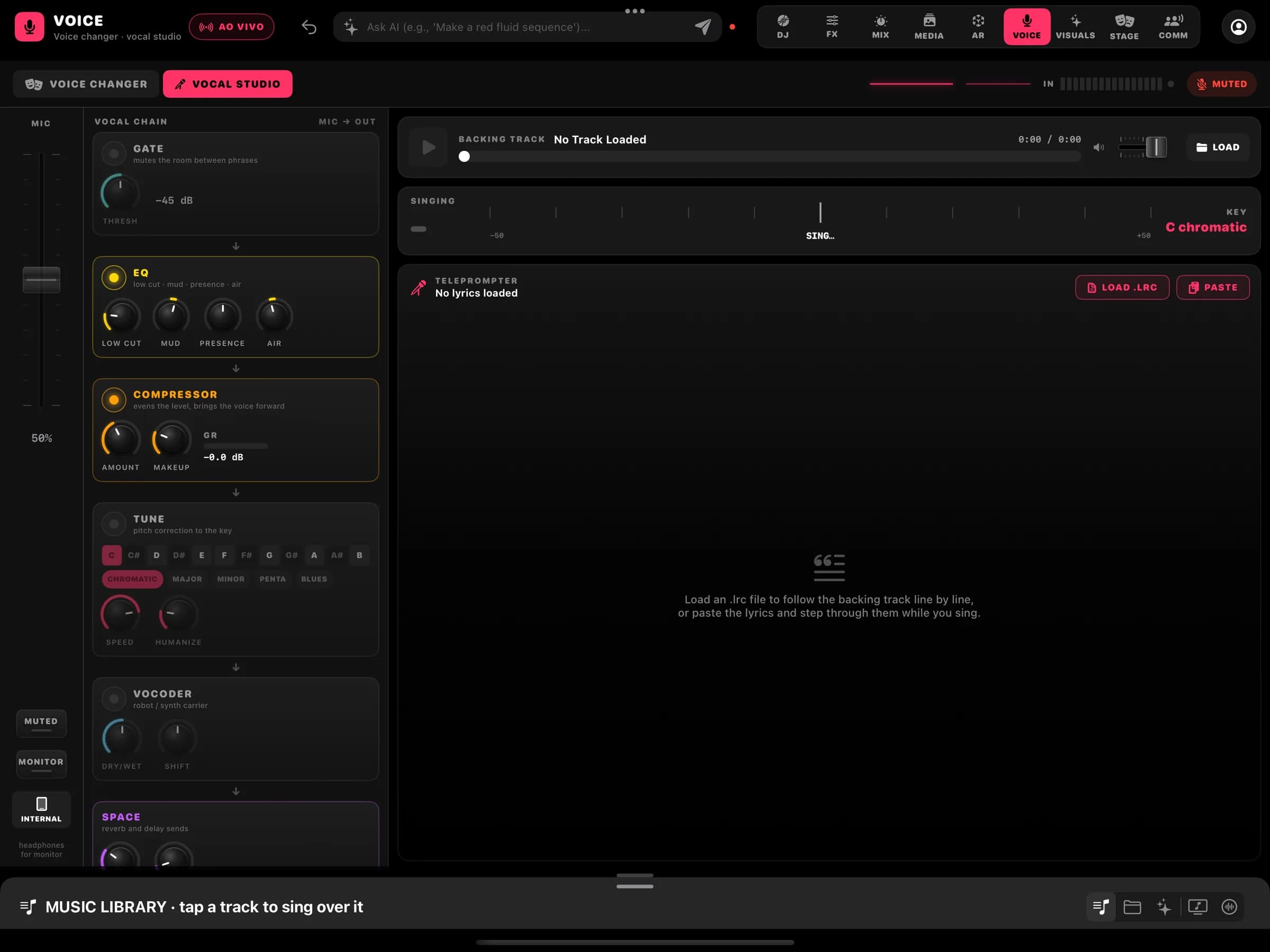
Vocal studio
- Voicebox
18 live voices, on device
From Clean Mic to Deep Voice, Robot, Radio Demon, Cathedral and Custom Pitch, processed on the iPad, by category with favourites; adjust pitch, effect and EQ.
- Soundboard
Sound pads
Tap to fire, long-press to replace, rename or delete. Import audio files or generate sounds with AI using your ElevenLabs account.
- Mixer
Live input and monitoring
Microphone level, headphone monitoring and the backing track in one place.
- Vocal studio
Vocal chain and timed lyrics
EQ, compressor, tune, vocoder and space on the voice; load an .lrc so the lyrics follow the backing track line by line, or paste the lyrics and step through them while you sing.
AR
Augmented reality in four modes.
AR STUDIO opens the right camera for each mode: place 3D objects in the room, draw in space, measure real distances or apply effects to your face.
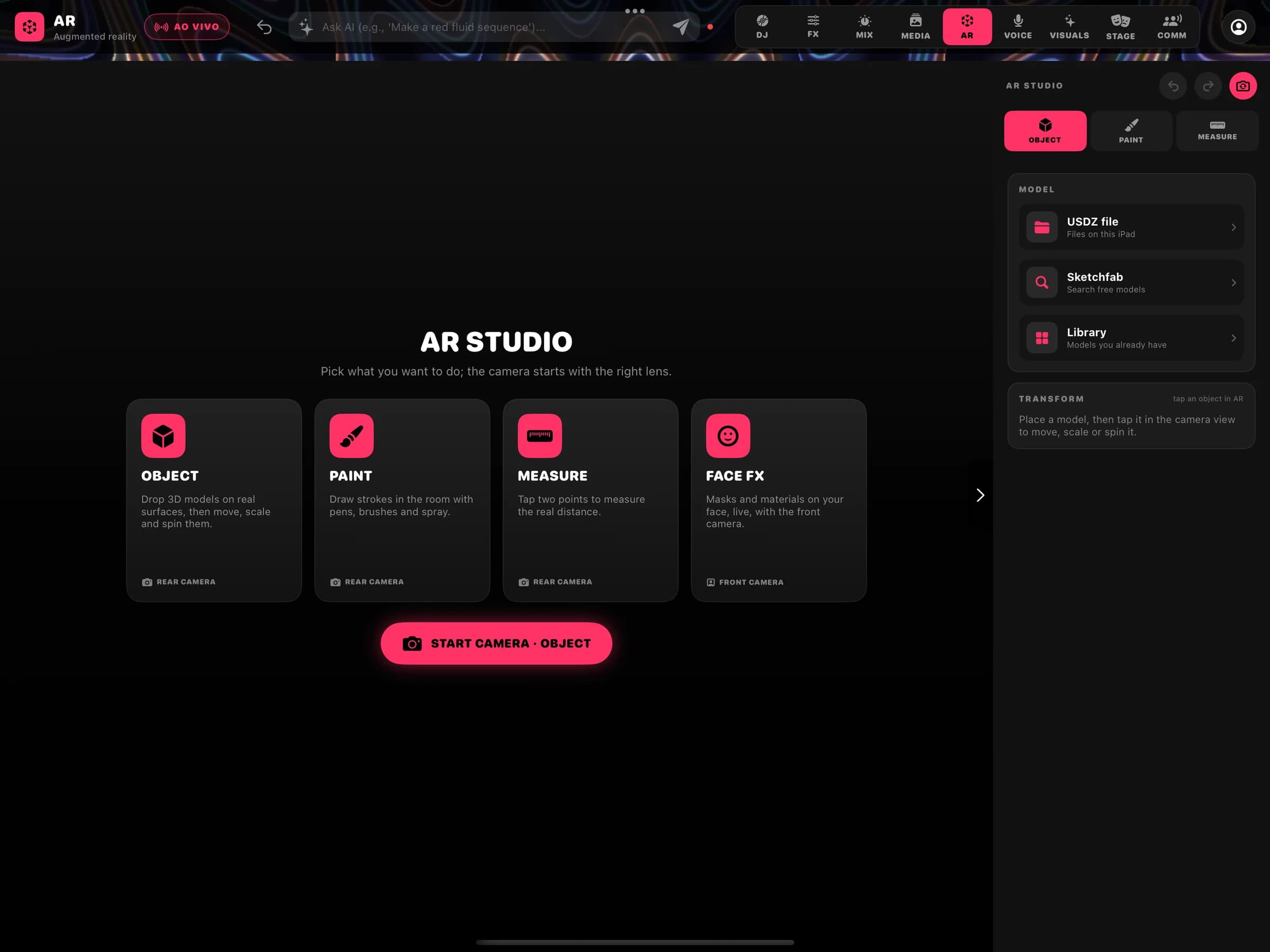
- Object
3D objects in the room
Place USDZ models, library items or Sketchfab finds on real surfaces, then move, scale and spin them.
- Paint
Drawing in space
Strokes in the room with pen, pencil, brush, spray and marker, plus an eraser.
- Measure
Measuring
Tap two points to measure the real distance.
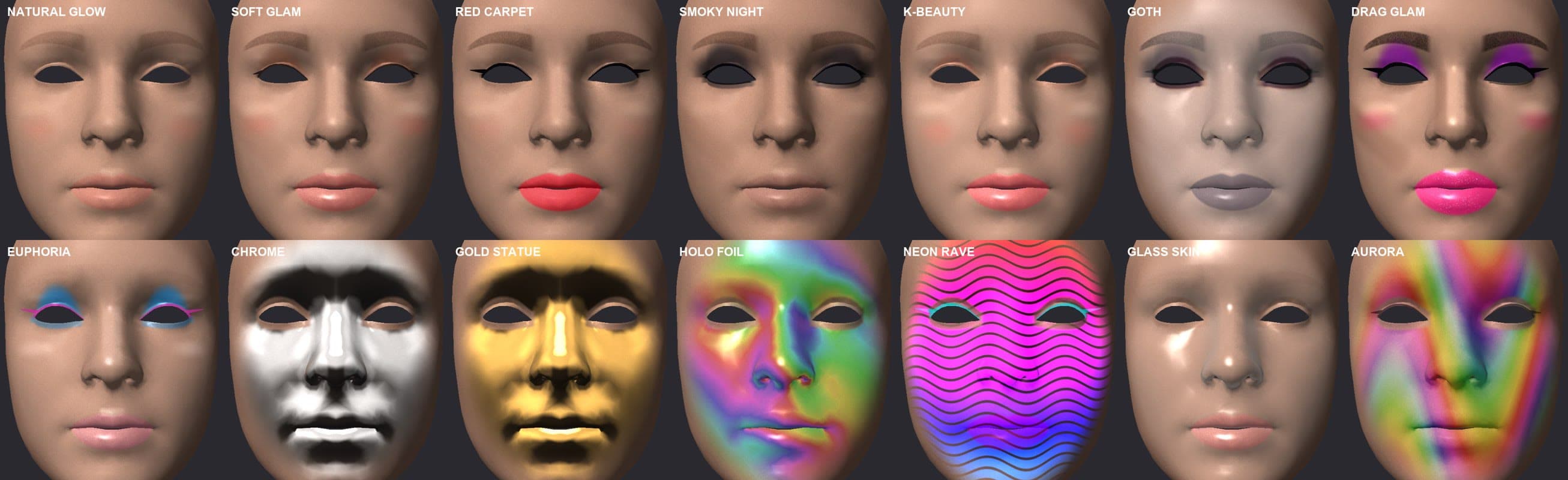
- Face FX
Face effects
Masks and materials on your face, live, with the front camera: make-up looks, chrome, holographic and more.
Outputs
From the iPad to the big screen and the internet.
Send the visuals to an external screen, record the set or stream live straight from the iPad, with no computer in between.
- Go Live
Live streaming from the iPad
Stream over WHIP (WebRTC), with RTMP as a fallback. The live shows up in the community.
- Display
External display and AirPlay
Full-screen visuals out to a monitor, projector or Apple TV.
- Recording
Record the set
Record the video output straight to the Photos library.
- Network
OSC and Jowe Control
Control over OSC and from the Jowe Control app on the same local network.
Requirements
Jowe Stage is in final testing. These requirements apply to the first release and may change before launch.
- System
- iPadOS 17 or later
- Tested on
- iPad Air (M1) and iPad Pro 13" (M4)
- Recommended
- An iPad with M1 or later, especially for stems and RENDER PRO
- Orientation
- Landscape
- Controller
- Pioneer DDJ-GRV6 (ready-made mapping) and MIDI input
- Availability
- Coming soon to the App Store
Want to see Jowe Stage play?
The community is already open: follow creators, watch lives and follow the launch.